Chapters
Posting and Storing Data - Feb 28, 2018
We've just written a new section on Posting and Storing Data. Also, you can watch a new video about Delegation.
Angle 2 - Feb 26, 2018
8 Upcoming Chapters - Feb 14, 2018
Psyched to announce that we're working on 8 new chapters: InVision Studio, React, Framer, ARKit, SpriteKit, Sound Design, Screenflow and AfterEffects. They will be released within the next few weeks and months. You can watch the previews for Sound Design and Screenflow.
4 New Swift Videos - Feb 10, 2018
Gesture Interactions, Cocoapods, Keyboard Interactions and Progress Rings in chapter 4 have been updated with friendlier content and a video!
Alipay - Feb 06, 2018
Proud to announce that we're now supporting Alipay payments to accommodate readers from China!
4 New Videos - Feb 02, 2018
Learn from our newest videos about UI Icons, UI Sounds, Default Transitions and Custom Transitions.
4 New videos - Jan 29, 2018
Our team has been working hard to release Learn Animations, Navigation Bar, Table View Controller and Web View Controller.
iOS 11 UI Kit for Sketch - Jan 24, 2018
We spent a month working on this comprehensive iOS 11 UI Kit that works with Sketch's Resizable Nested Symbols, Libraries, Text Styles and Dark mode. Would love your feedback!
3 New Videos - Jan 23, 2018
New videos are live for Typography, Storyboard in Playground and Tab Bar. We're currently re-writing Chapter 4 to be more cohesive and beginner-friendly. As we approach more advanced topics, it was a tough challenge, but we're working really hard to make it as friendly as possible.
New video for Learn Colors - Jan 18, 2018
We just released a new video that teaches you how to use colors for your user interfaces.
iOS App Launched! - Jan 16, 2018
After months of non-stop work, we've finally launched the iOS app. You can now start using your account to read the content on iPhone and iPad. At night, you'll find a nice surprise.
Dark Mode - Jan 09, 2018
New Videos and Content - Jan 08, 2018
We released new videos: Design for iPad, Design for Apple Watch, 3D animation, Container View, Passing Data and Status Bar. Additionally, we added Dynamic Type, improved Custom Transitions and we’re working on new sections: Dark Mode and Posting and Storing data.
YouTube channel and Live Sessions - Jan 02, 2018
Just started a Design+Code YouTube channel to post introductory videos and future live sessions.
ePub Files for Chapter 3 and 4 - Dec 29, 2017
You can now read the entire book offline on iBooks by downloading the ePub files. Additionally, we fixed an issue where the files wouldn't load on iPhone.
Initial Content Release - Dec 26, 2017
After spending countless hours designing/coding the app and writing about its process, we’re finally launching the book with its initial release. Today, we’re releasing 23 new sections! Currently, we have 32 videos, but we’re working hard to get a video up for every section. Additionally, we’re planning a lot more content soon: more Swift, React, ARKit. Stay tuned!
4 New Sections - Dec 19, 2017
Super excited to release the Parallax and 3D animation sections which showcase how I did the card animation in the Home screen. Also, find tutorials on Collection View and Static Data. We’re planning to launch around 15 new sections for the official release next week. Stay tuned and happy holidays!
6 New Sections and 15 New Videos - Dec 12, 2017
We’re proud to release 15 new videos and 6 brand new sections in Chapter 3: Design in Storyboard, Auto Layout, Adapting for iPhone X, Storyboard and Code, Storyboard in Playground and Storyboard in Playground Part II. With this, the Chapter 2 is complete with videos!
iOS App Beta sent to 2700+ Testers! - Nov 29, 2017
Last week, we sent a beta build and it was declined by the App Store. We scrambled to redesign some parts to meet Apple's requirements. While it took a lot of our time, we finally managed to send the beta to 2700+ readers! Additionally, we've just published the source code for the final iOS app while you wait for the full tutorials.
New Content and Videos - Nov 28, 2017
We just added 9 new videos and 4 new major Sections: Design for iPad, Design for Web, Design for Web Part 2 and Animate in Playground.
Producing all this content for Sketch has been really challenging and time-consuming for the whole team, which took away focus from Chapter 3 and 4. The good news is that we're almost done. And because the final app is now solid and approved for beta, we can finally write the more technical parts without worrying that big changes are still needed. Thank for your patience and I promise that it will all be worth it in the end, as we have really awesome content coming.
3 New Videos - Nov 21, 2017
We just pushed 3 new videos: Nested Symbols, Sketch Libraries and Working with Data. We would love to hear your feedback on the videos - if it's too fast or too slow and which ones are your favorites.
Subtitles Available! - Nov 20, 2017
One of the main goals for the new videos was to have captions. Having a team makes this feasible on a large scale, so please enjoy!
Design+Code iOS App beta - Nov 16, 2017
After working on the Design+Code app for 2 months alone, then another month with Marcos for polishing, we're finally launching the beta.
November 14 Soft Launch - Nov 14, 2017
We're extremely excited to release a ton of new content and videos: Design for iOS 11, Design for iPhone X, Learn Sketch, Powerful Start in Sketch, Xcode Intro, Storyboard Intro, Playground, Design in Playground. In addition, you can now download all the Wallpapers, Videos, Sketch files and ePub files in the Files page.
Also, we're going to send the Design+Code iOS app beta to a lot more people over the next few days. Stay tuned.
Intro to Framer - Nov 09, 2017
We're excited to release our first unplanned content: Intro to Framer. Having a team is what allows us to expand our content!
Chapter 3 Early Access - Nov 07, 2017
Chapter 3 is now available. This time, it's really early access. There are currently 5 sections, with 10 more on the way. Allow me to explain. First, I've been working every single day. Starting a team is a big time investment, but also a needed step to ensure that I teach the right things. We're producing content as fast as we can: high-quality videos for every section in Chapter 2 & 3, and new unplanned contents like Framer, React, iPhone X and Cinema 4D. Before I knew it, those things totally sucked my time. Please know that I will do my damn best to release at least the full content and videos for Chapter 1, 2 and 3 at the appointed date: November 14.
ePub File - Nov 01, 2017
ePub file is available for Chapter 2.
New Sections - Oct 28, 2017
Added Styleguide and Handoff and Previewing and Sharing.
Chapter 2 Early Access - Oct 24, 2017
The Sketch chapter is now available! Again, this is still early stage and we'll be pushing the rest of the sections over the next days. Last week has been particularly challenging because I've started hiring designers and coders. The good news is that we went from 1 person to a 6-person team! This means that we'll pushing out a lot of new content soon.
ePub file - Oct 19, 2017
ePub file is available for Chapter 1.
New Section - Oct 16, 2017
Design for iPad section added. A number of fixes were deployed: links open in new window, blockquotes show properly and styling fixes for iPhone.
Early Access - Oct 10, 2017
You can now access the chapter 1, which has been completely updated for iOS 11 and iPhone X. Even with 60 hours last week and 4 hours of sleep today, I couldn't complete the entire chapter 1, so please bear with me as I continue to update the content. Designing for iPad, Apple Watch and Apple TV are coming. Also, please keep in mind that this really is an early access. In other words, it's rough. Please expect a lot of changes.
The iOS app is still being worked on and should be accessible next week. Since it's an offline app, the database needs to sync across devices. If that doesn't function correctly, I can't release the app just yet. I wouldn't want you to have your progress or bookmarks lost along the way. Progress and bookmarks will also come for the Web later.
I can't thank you enough for trusting this book. As always, I will do my very best to meet your high expections. If you have any question or suggestion, you can always reach us via email, Twitter or on Spectrum.
Chapter 1: 12 Sections

Learn iOS 11 Design
A complete guide to designing for iOS 11
Designing for iPhone X
Guidelines to designing for iOS 11

Design for iPad
How bigger screens affect your design

Design for Apple Watch
Designing for people on the go

Learn Colors
How to work with colors

Learn Typography
Make the content clear and readable
Learn Animations
Good animations enhance, bad animations distract

UI Icons
Learn how to find great icons and customize them

UI Sounds
Experience without even seeing the app

Design Inspiration
How to keep yourself inspired

Design Principles
Trends fade quickly, strong foundations last forever

Launching Your Product
Solving problems, launching and iterating
Chapter 2: 21 Sections

Learn Sketch
Introduction to Sketch Basic Tools
Powerful Start in Sketch
Strong Foundations for your Sketch Workflow

Design for iOS 11
Designing an iOS App from scratch in Sketch

Design for iPhone X
Designing and adapting for iPhone X in Sketch

Design for iPad
Designing an iPad app from Scratch

Design for Web
Designing a Website from Scratch

Design for Web Part 2
Designing a Website from Scratch
Tricks and Shortcuts
Boost your productivity in Sketch
Sketch Plugins
Essential Sketch Plugins for Designers and Developers
Nested Symbols
Design with More Flexibility by Nesting Symbols

Sketch Libraries
Share Symbols with Other Designers
Version Control
The Github for Designers

Working with Data
Make your design meaningful with real content

Adaptive Layouts
Working with Multiple Resolutions
Working with Vector
Vector Techniques in Sketch
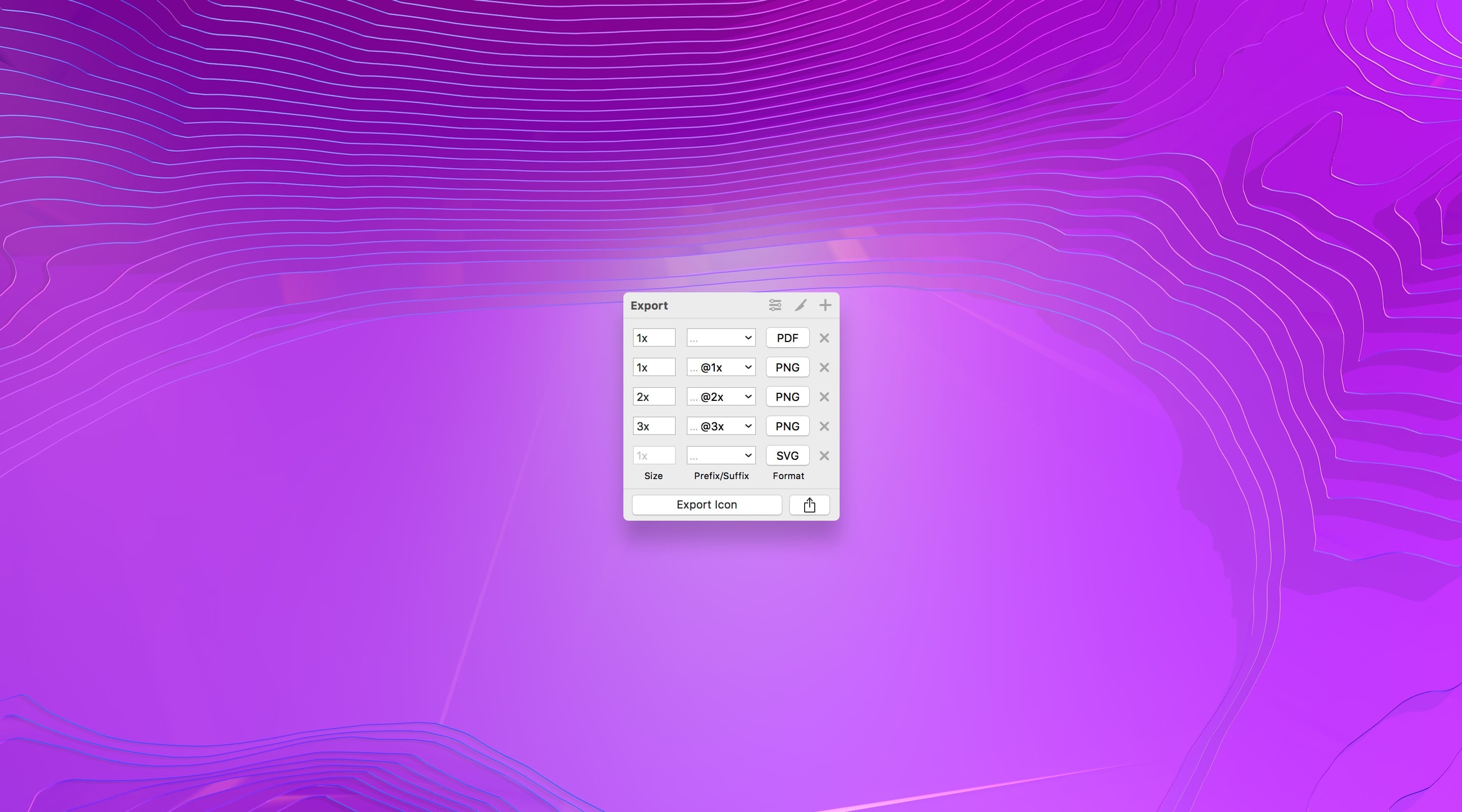
Exporting Assets
Delivering Assets to Multiple Devices in Sketch

Styleguide and Handoff
Consistent design language in your team

Previewing and Sharing
Test drive on your devices

Advanced Techniques
Master Sketch with these Tricks
Intro to Framer
Design and code animations with Framer
Prototyping in Keynote
Prototyping in Keynote Using Magic Move
Chapter 3: 19 Sections

Learn Swift 4
Code an iOS 11 app from scratch
Intro to Xcode 9
Create your first Xcode Project
Intro to Storyboard
Visual Editor for editing your user interface

Prototyping in Xcode
Your app flow in Xcode
Swift Playground
Learn the basics of Swift

Design in Playground
Design and code UI in Swift Playground

Animate in Playground
Prototyping animations with Swift 4 and Xcode 9

Design In Storyboard
Implementing your own designs
Auto Layout
Auto Layout, Stack Views and Size Classes for adapting your layout in Xcode 9
Adapting for iPhone X
Designing with Safe Area Layout Guides in mind
Storyboard and Code
Connect the user interface objects to the code

Parallax Animation
Make scrolling more fun and delightful

Collection View
The most flexible and dynamic layout for iOS
Static Data
Filling your reusable cells with data

3D Animation
Create a parallax animation that uses 3D transforms

Container View
Simplify your workflow child view controllers
Passing Data
Send data from one view controller to another
Status Bar
Mastering an element that is present in virtually every screen

Storyboard in Playground
A deeper look at Storyboard and the view hierarchy
Chapter 4: 22 Sections
Tab Bar
Flat navigation using a bottom bar

Navigation Bar
The anchor of the layout

Table View Controller
Contacts, messages, bookmarks and all other vertical data

Web View Controller
Display and control web content without leaving the app

Default Transitions
Add an animation between your screens

Custom Transitions
Create a seamless animation from one screen to another

Gesture Interactions
Using gestures to dismiss

CocoaPods
Dependency manager for your Xcode projects
Keyboard Interactions
Coordinating avoidance, appearance, and style
Progress Rings
Using third party components and core animation

Delegation
One object acting on behalf of another object

Multiple Storyboards
Divide and conquer

Dynamic Type
Accessibility made easy
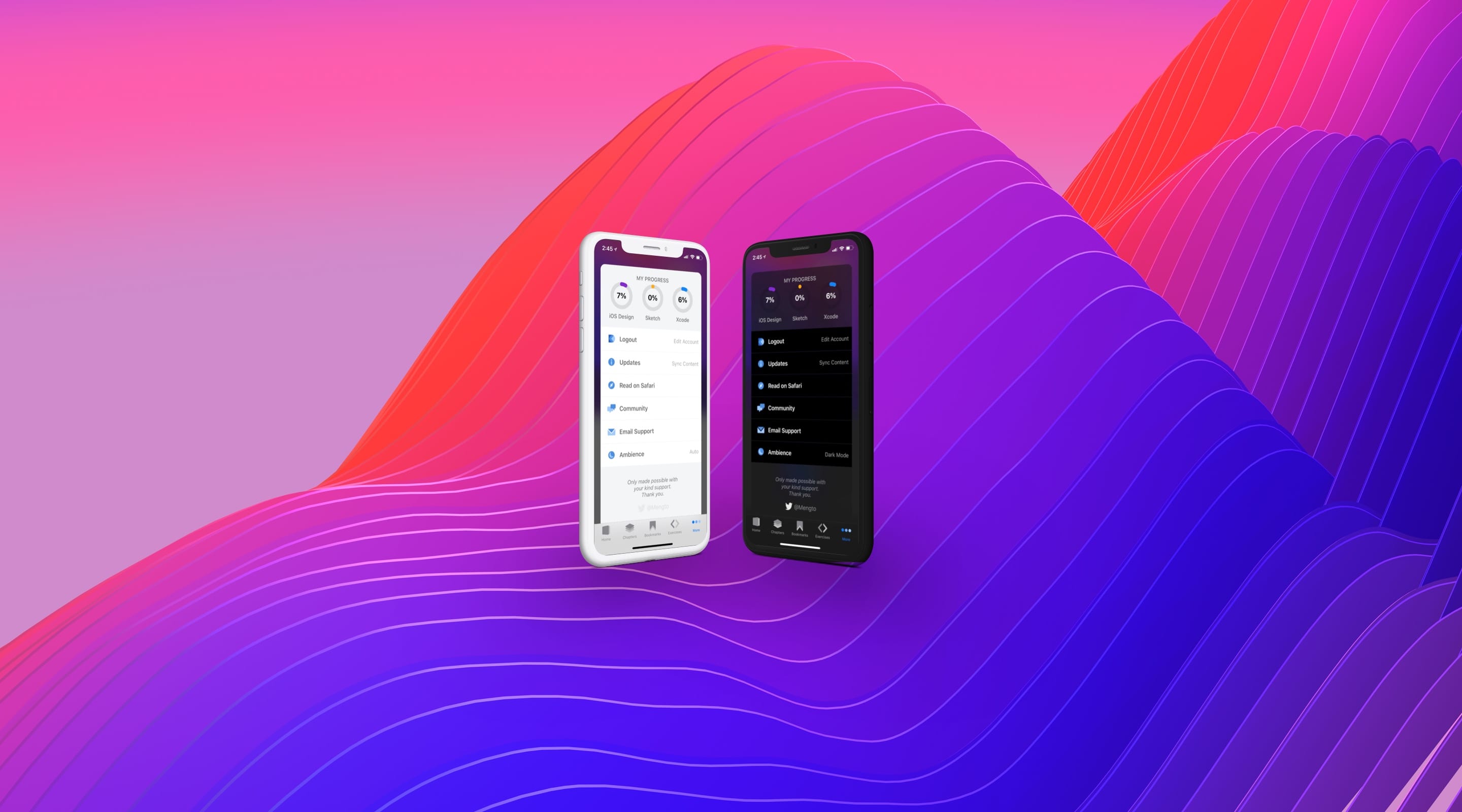
Implement Dark Mode
Automatically adjust to a dark interface based on brightness

JSON Parsing
Your data in an interchange format
Core Data
Persist your data using the built-in framework

Realm
A simpler, cross-platform database

Networking
Loading Images and HTML content asynchronously

Implementing Search
Filtering data

Posting and Storing Data
Interfacing with REST APIs using URL Session
TestFlight
Distribute your app to beta testers
Publish to the App Store
Working with iTunes Connect to get your app out there